Data minimisation is one of the main principles of GDPR legislation so it is important that schools only share the data for students who will be using Exampro Onscreen or MERiT.
Fortunately Wonde makes it very easy to restrict which classes, year groups and individuals will be shared with Exampro.
Wonde has published an "Access control guide" for schools which provides full details of how to do this.
A high level overview is shown below.
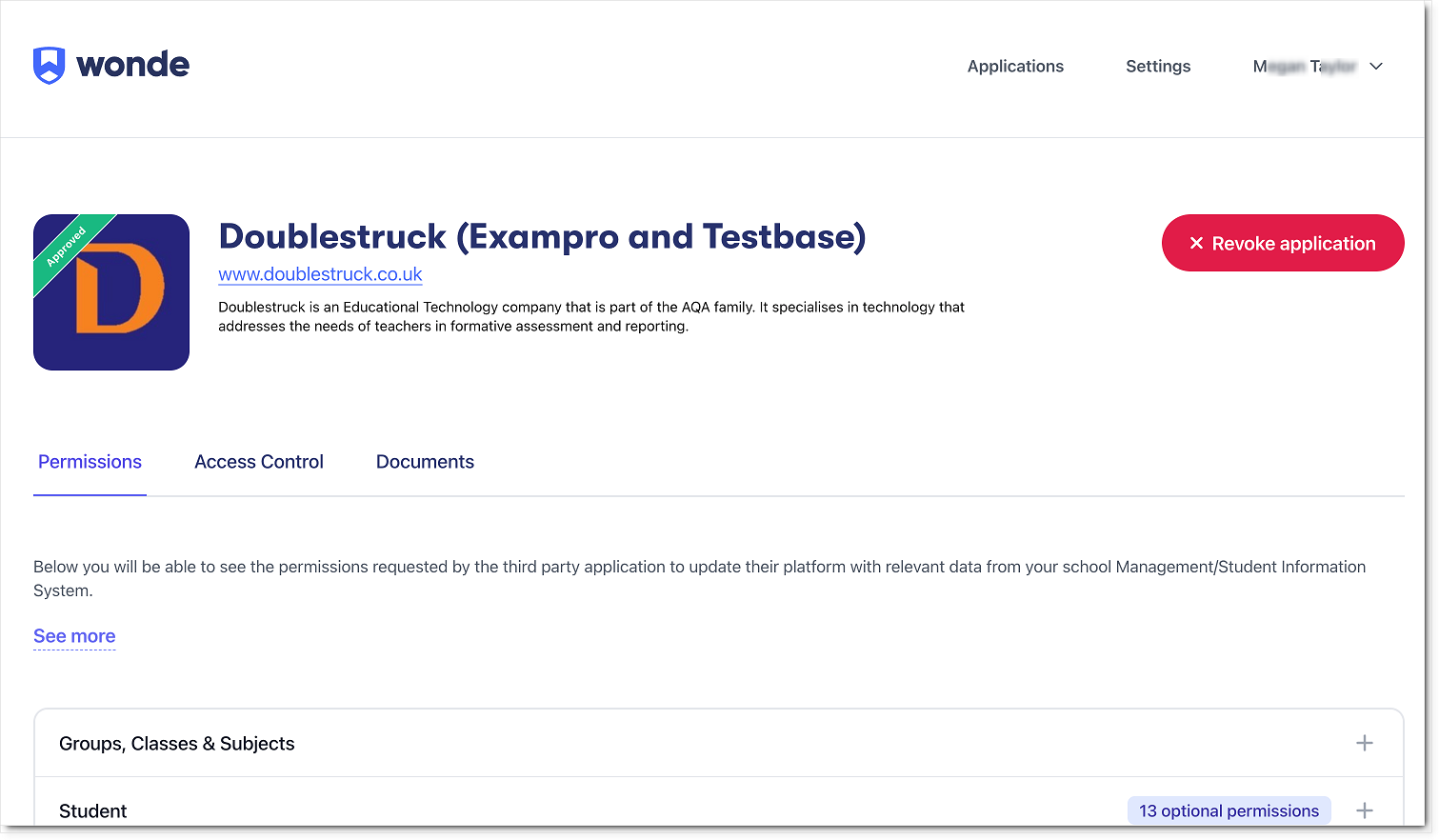
Within the Wonde Portal, Access Control is the second step of the approval process, following the Permissions step.
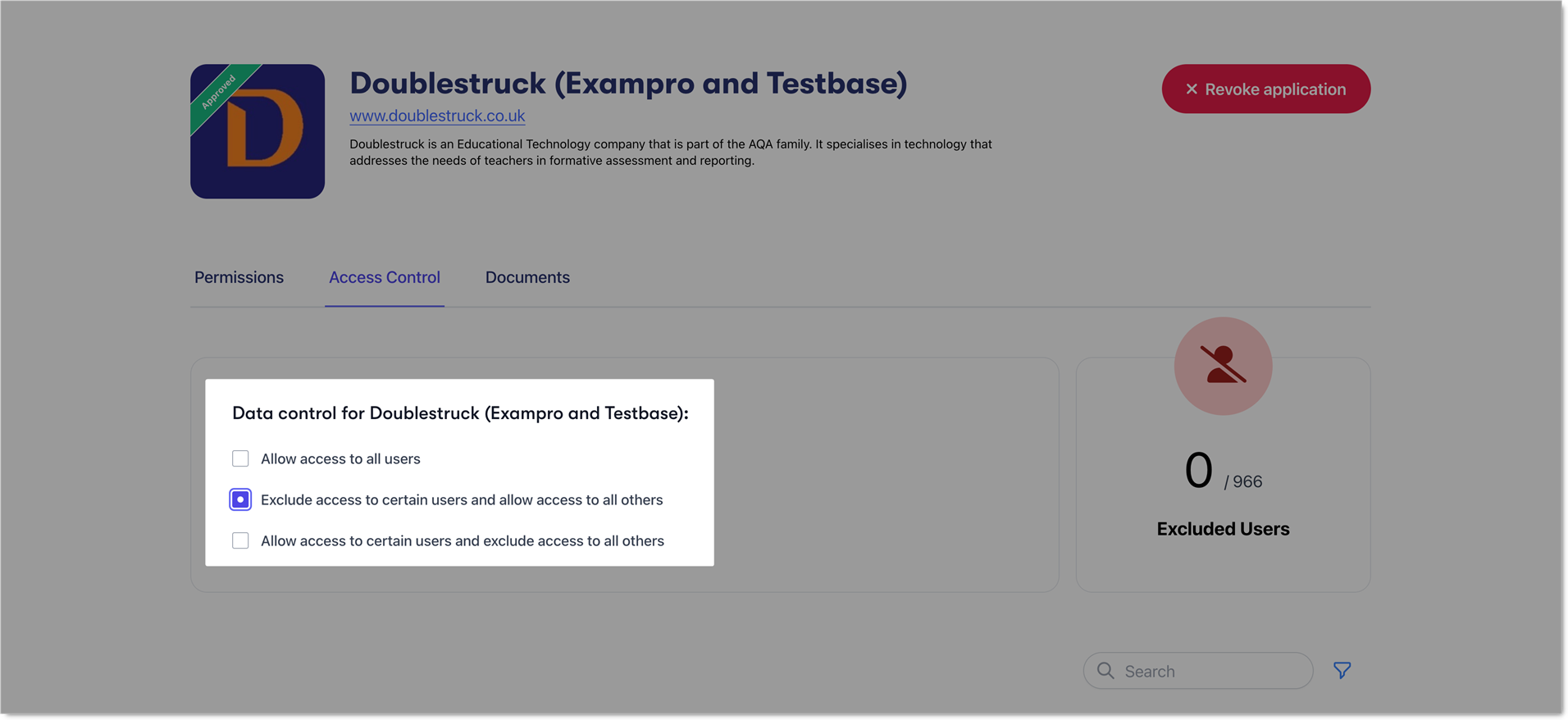
In the Access Control section, select Exclude access to certain users and allow access to others.
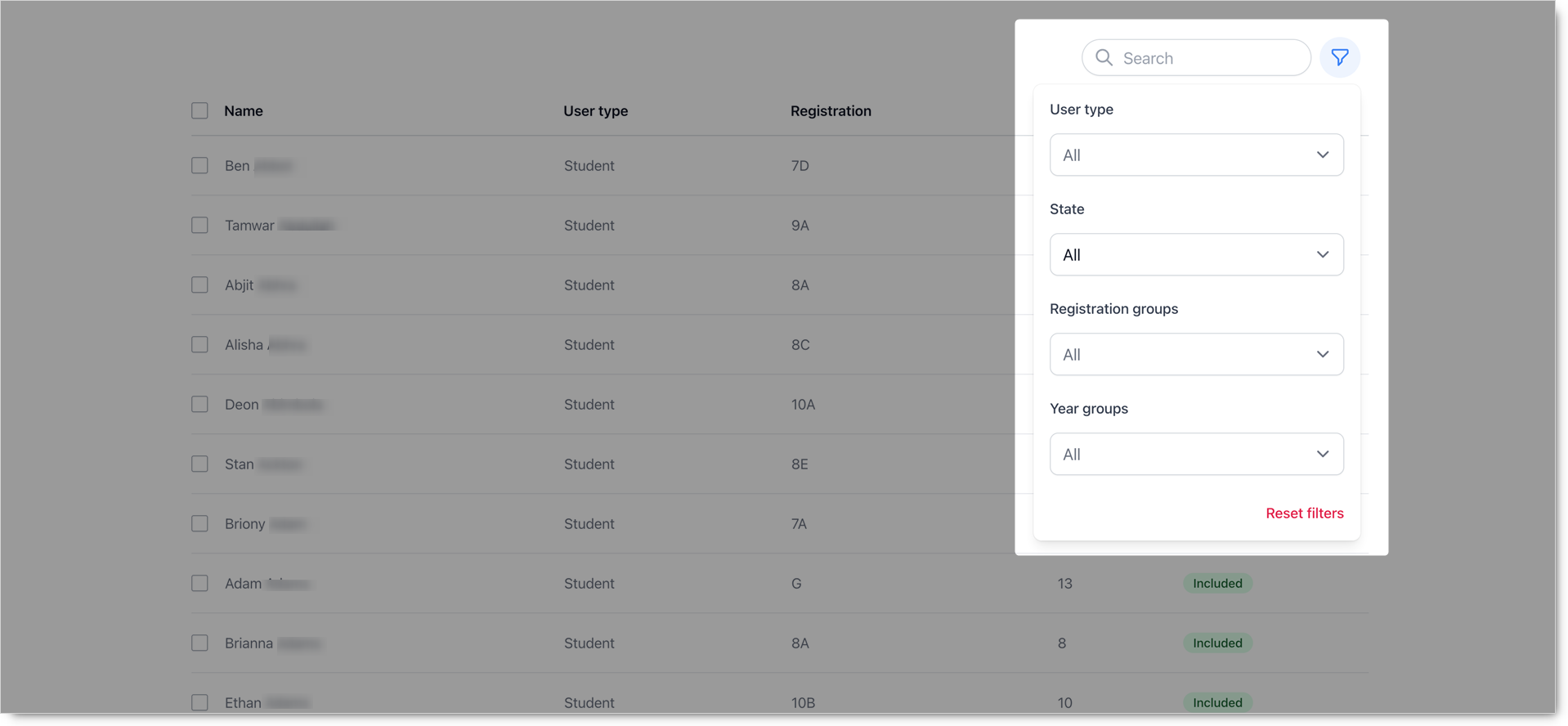
You can then use the filter control next to the Search box to select the User type, Registration groups (classes) and Year Groups for which to allow data access.
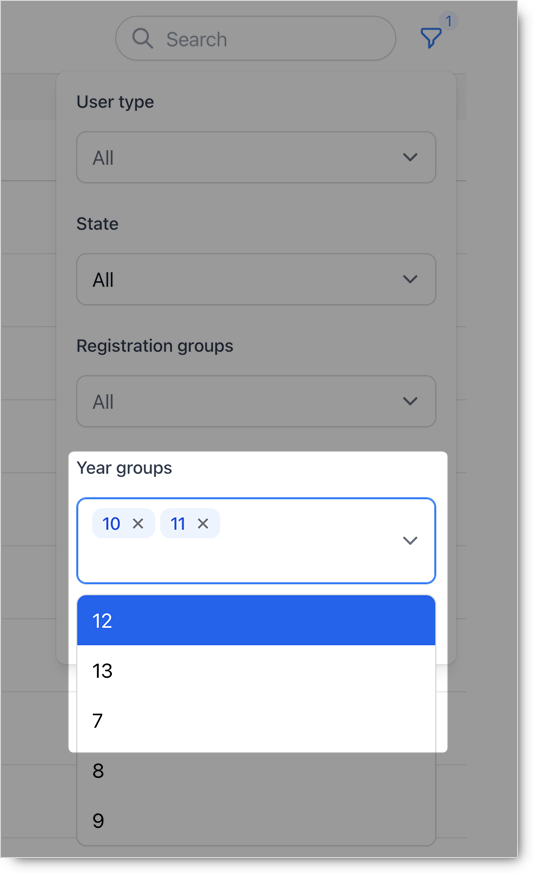
Once you have completed your selection(s), the relevant students will be displayed.
You can then select all by checking the box next to Name at the top left of the student list before moving on to the next step.
The Wonde Support Team will be happy to help with any problems or questions you may have. Contact them via email at support@wonde.com