Archived classes
When a school with a Wonde connection changes its Management Information System (MIS), we can match student records between the old and the new MIS using their Unique Pupil Numbers (UPN).
However, we can only match classes by name. If we can’t find a match for a class in the new MIS by its name, we will mark the class as 'Archived'.
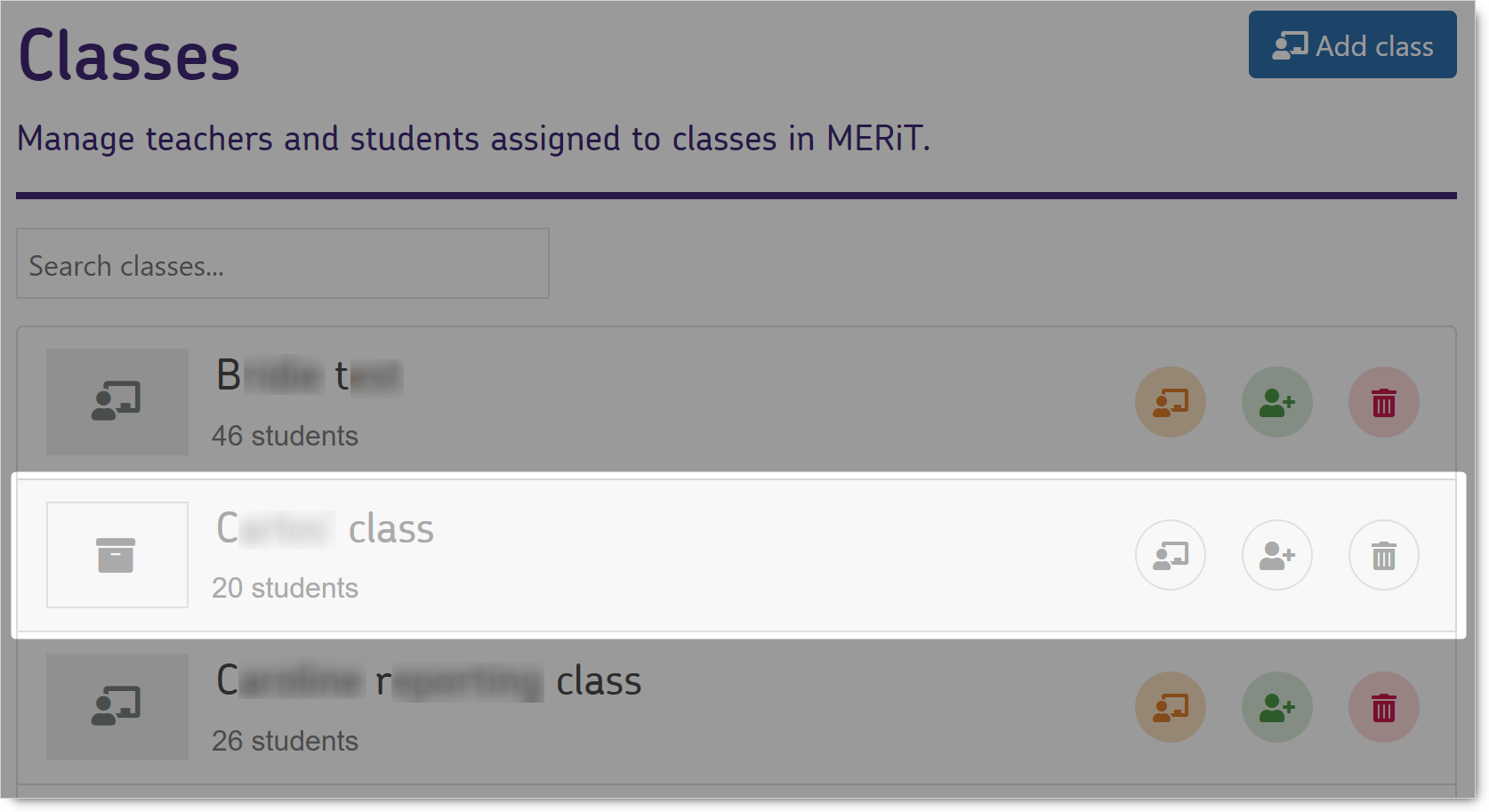
The archived icon easily distinguishes archived classes from new, active classes.

The archived icon avoids confusion and ensures that schools retain access to any reports associated with the old classes.
It also indicates that the class can be accessed to see reports generated before the migration only and cannot be used for any new activity such as setting new assignments or entering marks.
Deactivating students
When a student is no longer active in your Management Information System (MIS), they become inactive in our system as soon as we sync and update our records with Wonde.
If we can't find a match for a student using their Unique Pupil Number (UPN) or other personal details during an update, we will assume they have left the school and mark them as inactive. This means they won't appear in our applications anymore.
NB We will keep their information safe until the end of the school year in case the child returns to the school or there was a mismatch.
Permanently Deleting Students
To permanently remove a student's records from our system, you will need to contact our support team.
We only delete student information when specifically asked to or following the lapse of all subscriptions by your school in accordance with our data retention policy as stated in our Privacy Statement. Before deletion, we anonymize the student's details but keep their academic data. This helps us improve our statistics and ensures that class data remains accurate.
NB Once we delete a student's records, we cannot restore them. This action is permanent.